
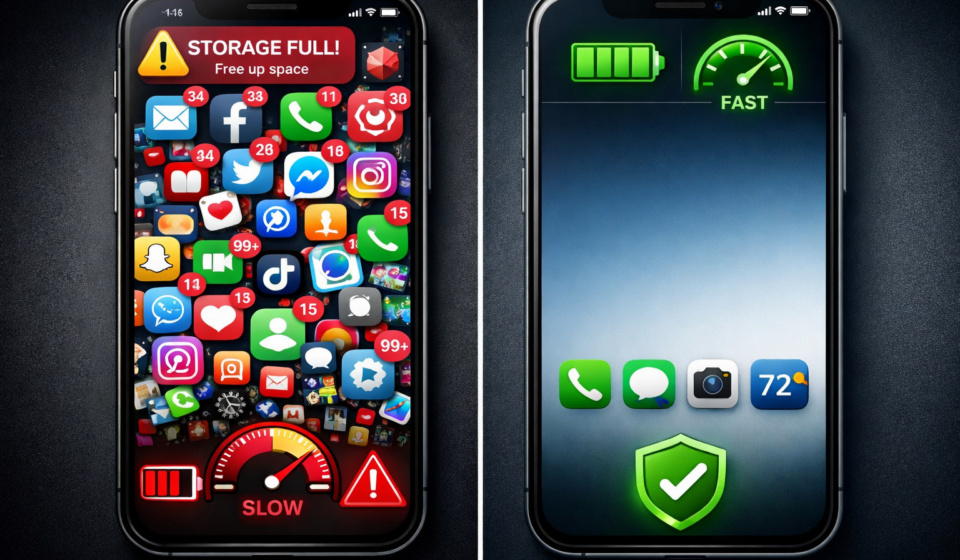

A slow phone is one of the most common daily frustrations. Apps take longer to open, typing feels delayed, scrolling starts to stutter, and even simple tasks can become annoying. Most people assume this means the phone is getting old. In reality, that is often not the real problem.
Phones usually do not become slow overnight. Performance drops step by step because of storage pressure, background processes, too many apps, and habits that slowly overload the device. The good news is that many of these problems can be fixed without buying a new phone. The mistake most people make is treating the symptoms instead of fixing the cause.
If you want your phone to feel faster again, the goal is not to apply random tricks. The goal is to remove the friction that built up over time. Once you do that properly, the difference is often immediate.
1. Check Your Storage First
Storage is one of the biggest reasons a phone starts to feel sluggish. When your device gets too full, it has less room for temporary files, updates, app data, and normal background tasks. That affects overall speed, app loading time, and even camera performance.
A good rule is to keep at least 20 to 25 percent of your storage free. If your phone is nearly full, start there first. Go through your apps, downloads, screenshots, videos, and duplicate files. Many people are surprised how much useless data sits on a device for months without being noticed.
Pay extra attention to social media apps, messaging apps, and browser downloads. These often collect large amounts of hidden data. Removing old files and unused apps gives your phone more breathing room and often delivers a visible speed improvement right away.
2. Remove Apps You Do Not Really Use
Most phones are full of apps that looked useful once but are now doing nothing except taking up space, sending notifications, and sometimes running in the background. If you have not used an app in the last month, ask yourself why it is still installed.
Unused apps are not harmless. Some keep syncing in the background, checking location, downloading updates, or collecting cached files. The more of them you keep, the more clutter builds up in the system.
Be aggressive here. Delete what you do not need. You can always reinstall something later. It is better to keep a phone lean than to carry around digital junk that slowly drags performance down.
3. Fix Background Activity
One of the biggest hidden causes of a slow phone is background activity. Many apps continue doing work after you close them. They refresh content, check messages, track your location, sync photos, and request updates. One app doing this is manageable. Twenty apps doing it at the same time is not.
On iPhone, check your settings for Background App Refresh and turn it off for apps that do not need it. On Android, check battery or app settings and restrict background activity where possible. Focus on apps like shopping apps, social media apps, weather widgets, and tools you rarely open.
This does not just improve speed. It can also improve battery life and reduce unnecessary heat. If your phone often feels warm without heavy use, background activity is a likely reason.
4. Clear Out App Bloat the Smart Way
Many guides tell people to clear app cache and stop there. That can help, but heavy apps often create so much clutter that a full reinstall works better. Apps like Facebook, Instagram, TikTok, and some browsers can store a large amount of temporary data over time.
If one specific app feels slow or behaves strangely, uninstall it and install it again. This often removes broken temporary files, resets hidden junk, and gives you a cleaner version of the app without dragging old issues along.
Do not do this with everything all at once. Target the heaviest apps first. That gives the best result with the least effort.
5. Reduce Visual Overhead
Not all slowness is raw performance. Sometimes your phone feels slow because the interface adds delays through animations, transitions, widgets, and live effects. Reducing these does not magically make the hardware stronger, but it can make the device feel much faster in normal use.
On iPhone, options like Reduce Motion can make navigation feel snappier. On Android, reducing animation scales can have a similar effect. Removing unnecessary widgets and live wallpapers also helps reduce visual clutter and system load.
This is one of the quickest ways to make a phone feel more responsive, especially on older devices.
6. Restart More Often Than You Think
A simple restart is underrated. Many people leave their phone running for weeks without ever restarting it. During that time, temporary glitches, stuck background processes, and memory buildup can make everything feel heavier than it should.
Restarting clears temporary system strain and gives the device a clean start. It is not a full fix for deeper problems, but it is a useful maintenance habit. Once per week is already enough to prevent small issues from building into larger ones.
7. Be Careful With Major Updates on Older Phones
Software updates are important for security and bug fixes, but not every major update feels good on every older phone. New software often adds features that demand more from the hardware. On newer devices that is fine. On older ones, it can create extra strain.
That does not mean you should ignore updates completely. It means you should be careful with major version jumps if your device is already struggling. Wait a little, read real user feedback, and see whether others with your model report better or worse performance.
This is especially relevant if your phone is already near the end of its support cycle.
8. Reset Only If You Do It Properly
If your phone is still slow after cleaning it up, a factory reset can help. But many people make one mistake: they reset the phone and then immediately reinstall every old app, every old habit, and every old problem.
A reset only works well if you rebuild carefully. Back up your important data first. Then reset the phone and install only what you actually need. Keep it clean from the start. That is how you get the strongest long-term result.
Think of a reset as a fresh start, not a quick repair button.
What Actually Works Long Term
The real fix is not one trick. It is a small system:
- Keep enough free storage
- Remove apps you do not use
- Restrict background activity
- Clean or reinstall heavy apps
- Reduce unnecessary visual load
- Restart regularly
- Reset properly if needed
Phones usually feel slow because they become overloaded, not because they suddenly become useless. If you remove the overload and keep your setup simple, many phones can stay fast much longer than people expect.
That also means you do not always need to spend money on a new device. In many cases, better maintenance gives you a better result than upgrading too early.